Getting Started with AMS2 Dedicated Server Toolbox
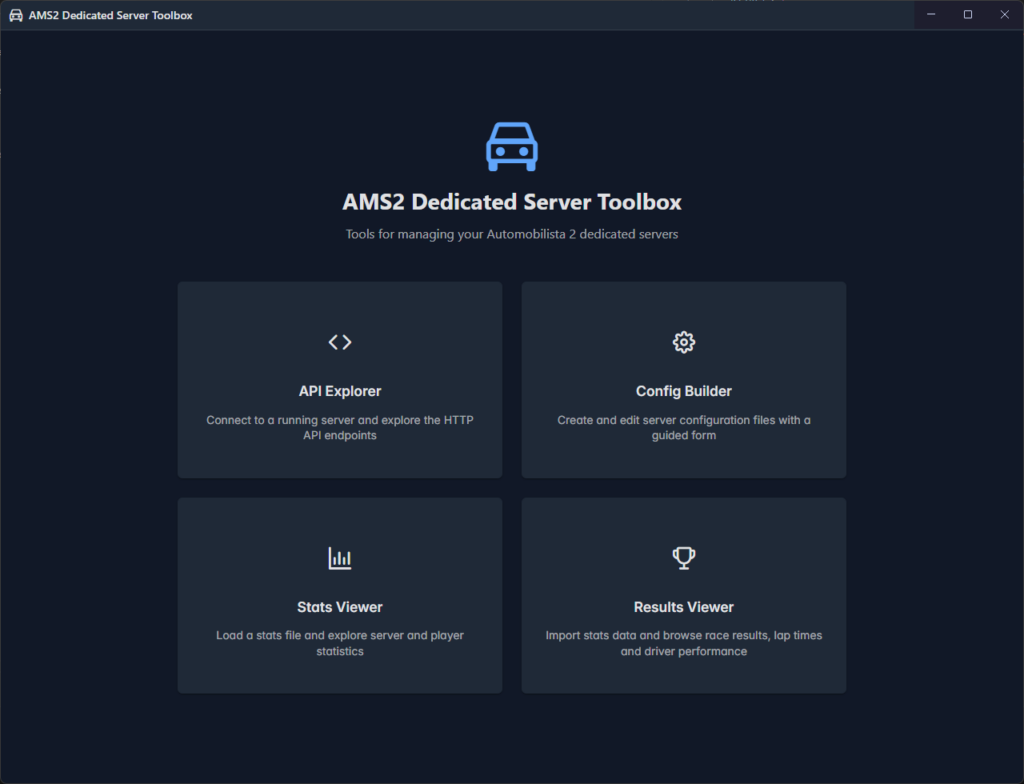
AMS2 Dedicated Server Toolbox is a cross platform desktop application that comprises multiple tools to help users of the Automobilista 2 Dedicated Server. It includes the following features:
- API Explorer
- Config Builder
- Stats Viewer
- Results Viewer
Installation
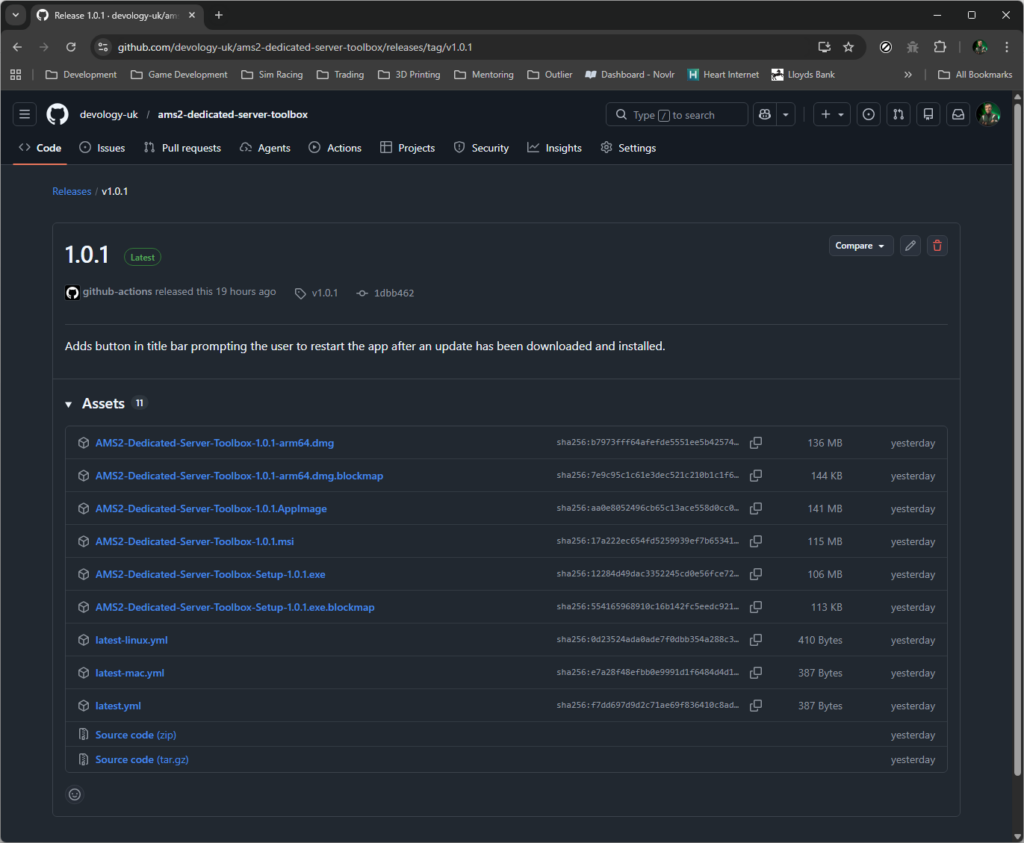
AMS2 Dedicated Server Toolbox is available for Windows, Linux and MacOS. Once installed the application will automatically update prompting you to restart when an update has been downloaded and installed.
AMS2 Dedicated Server Toolbox is an open source project hosted on [GitHub](https://github.com/devology-uk/ams2-dedicated-server-toolbox). As such we do not have the funding to purchase a digital code signing certificate, which means when installing on Windows or MacOS you will be prompted to security messages that the publisher cannot be verified. We assure the application is safe to install, it will not harm your computer.
To install the application for your operating system navigate [here](https://github.com/devology-uk/ams2-dedicated-server-toolbox/releases/latest) to find the latest release packages.
Windows Installation
To install the application on Windows download the .msi installer package and launch it. Depending on which browser you may be asked to confirm whether to keep the unverified file. When you launch the installer you will probably see a Windows Protection window:
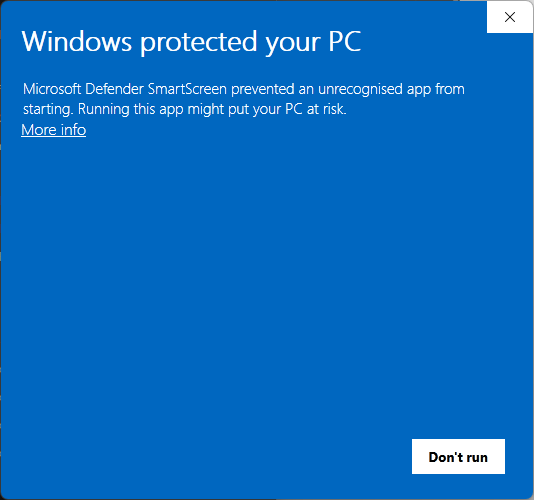
To continue with the installation activate the More Info link.
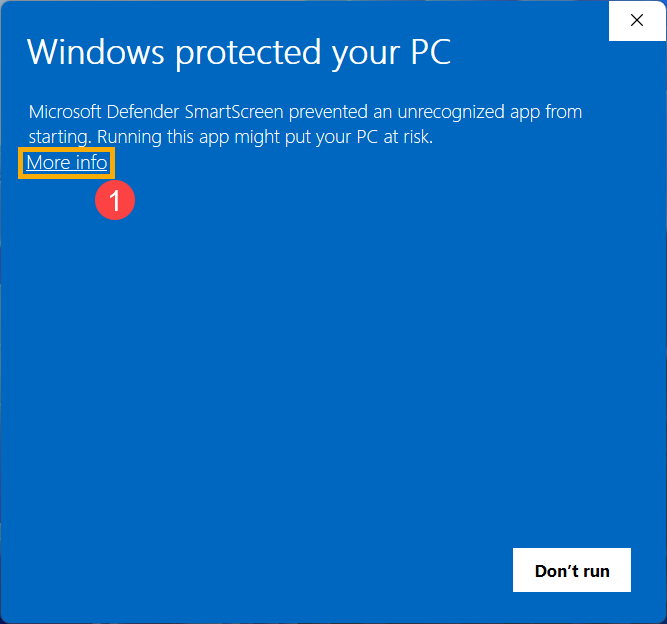
Activating this link will present you with the Run Anyway button
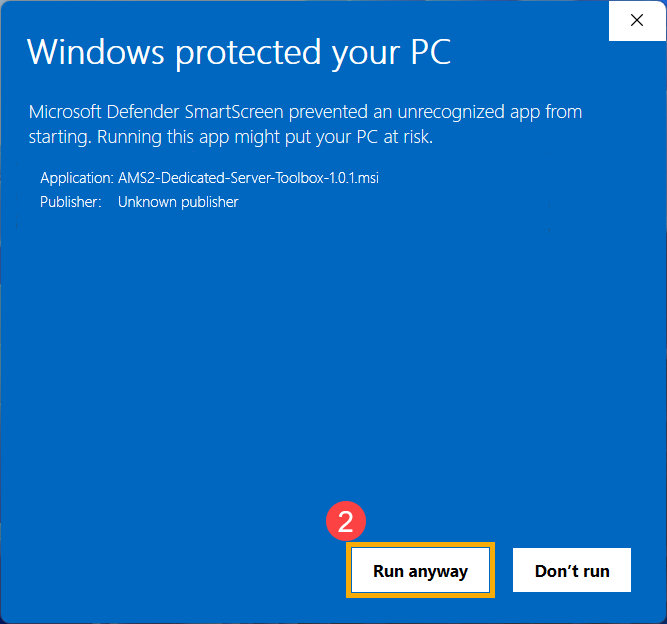
Activate the Run Anyway button the begin the installation
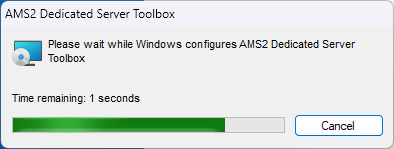
Linux Installation
Installing the application on Linux is the simplest of all. Just download the .AppImage file and launch it. We don’t have a full Linux distribution to provide screenshots of the process, but then there are so many possibilities with the plethora of Linux distributions and desktop options it would be difficult to cover every scenario.
If you are a Linux user and would like to provide some screenshots of the installation process please head over to our Discord server and let us know.
MacOs Installation
To install the application on MacOS download the .dmg file for your platform (.dmg for Intel or .arm64.dmg for ARM) and open it.
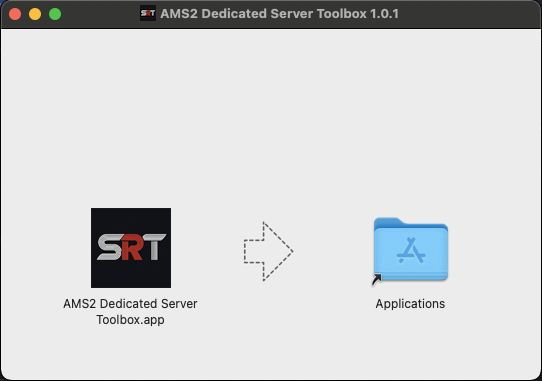
Drag the SRT icon to the Applications folder and release. When you launch the application you will almost certainly see this:
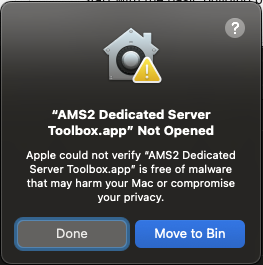
AMS2 Dedicated Server Toolbox is an open source application and free to use. It is not funded so we have not spent the money required to be able to digitally sign the application package. MacOS will try to protect you and refuse to launch the app until you manually allow it.
Clicking on the help icon (?) will tell you exactly what you need to do to be able to launch the application.
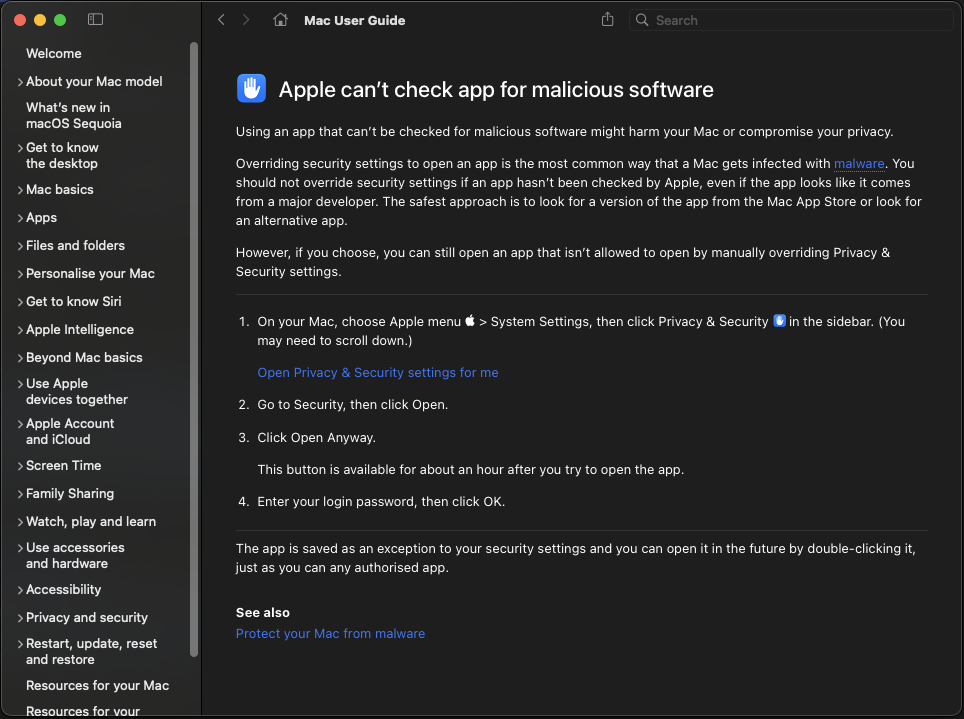
Follow the instructions shown to allow the application to run.
Main Screen
Once the application is installed and launched you will be presented with your toolbox. The screenshot below is how it looks on Windows. On Linux and MacOS it will be identical except for the title bar.